How to send email to attendees on Met IRL Creator?
- How to send Emails to attendees
When you log in to the Met IRL site,
Step 1: Click the three line icon on your left,
Step 2: Click on Manage Event,
Step 3: Click on Marketing KPI.
Step 4: You will see Add Promotion button click on it
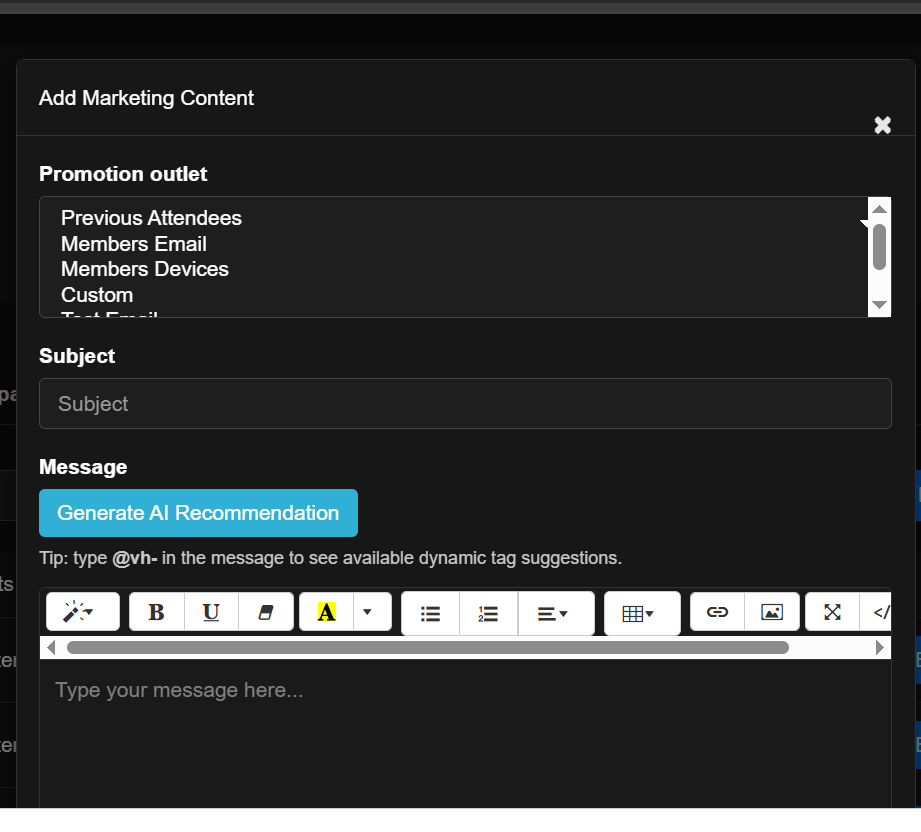
Step 5: Fill the form with the necessary information. From the recipient of the mail. Either previous attendees to customising specifics.
Write the subject, then the message itself
NOTE: To personalise the message type @vh-, you can choose either addressing them by their username or first name.
Step 6: Select Schedule type; either you send immediately or schedule to your preferred date and time.
Step 7: Then click on Publish.
PS: You can review first before publishing in case you want to make an adjustment.