Finding your event tickets?
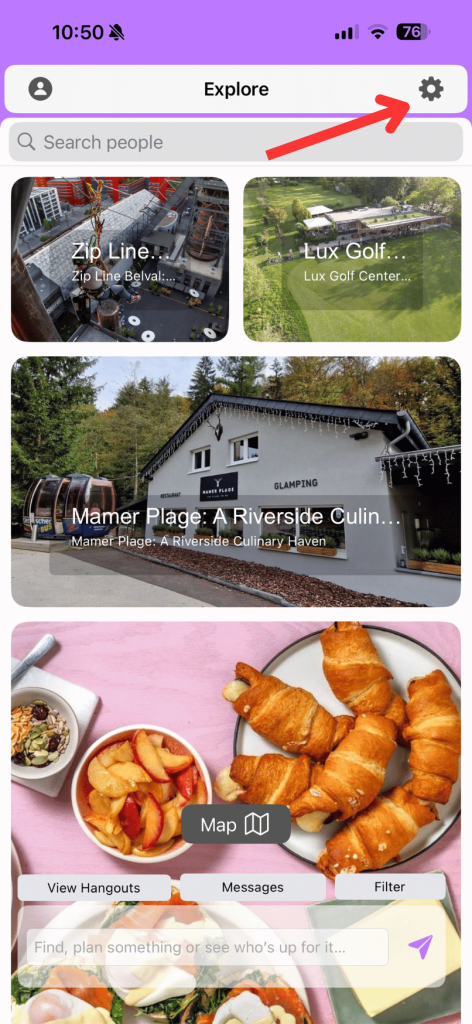
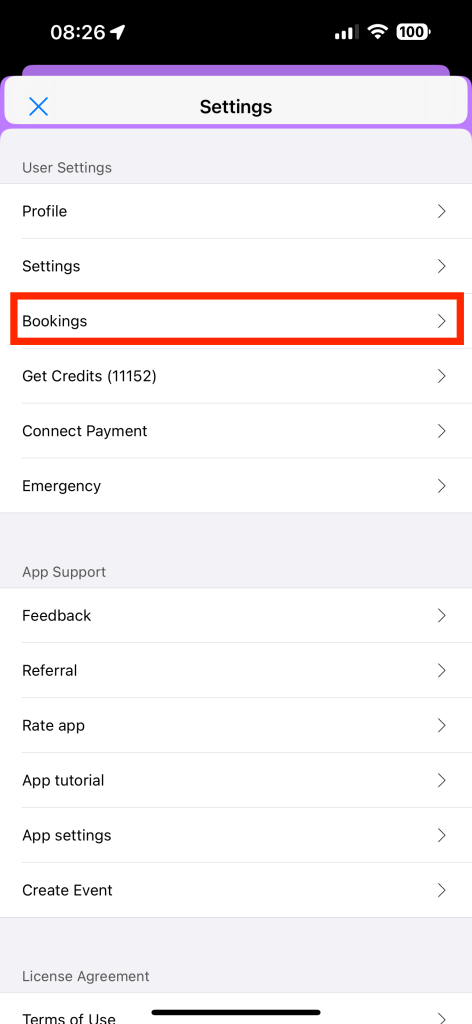
The best way to access your ticket (sometimes the only way for “free” events) is via our app. To do this (iOS):
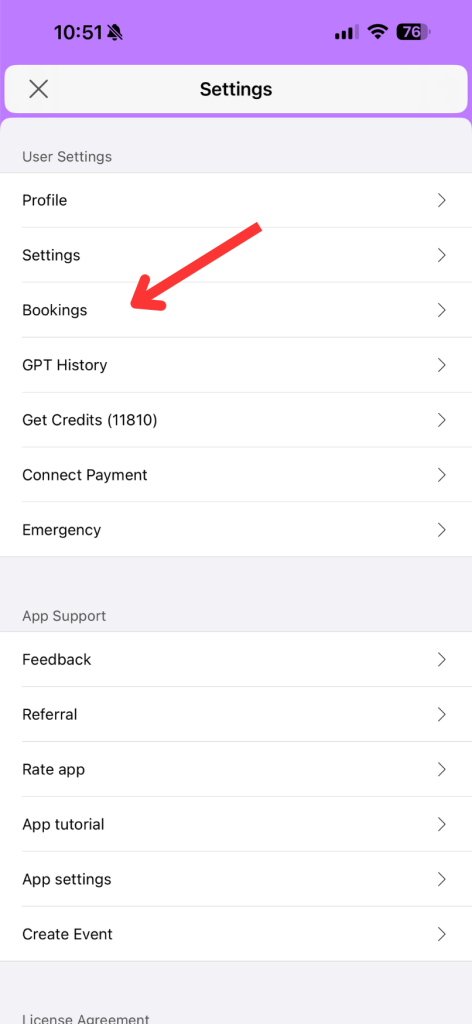
- Visit settings.
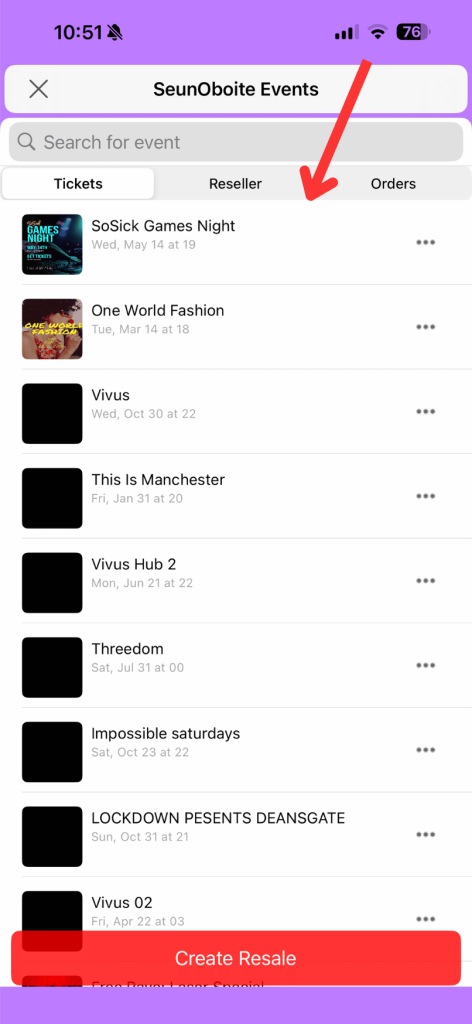
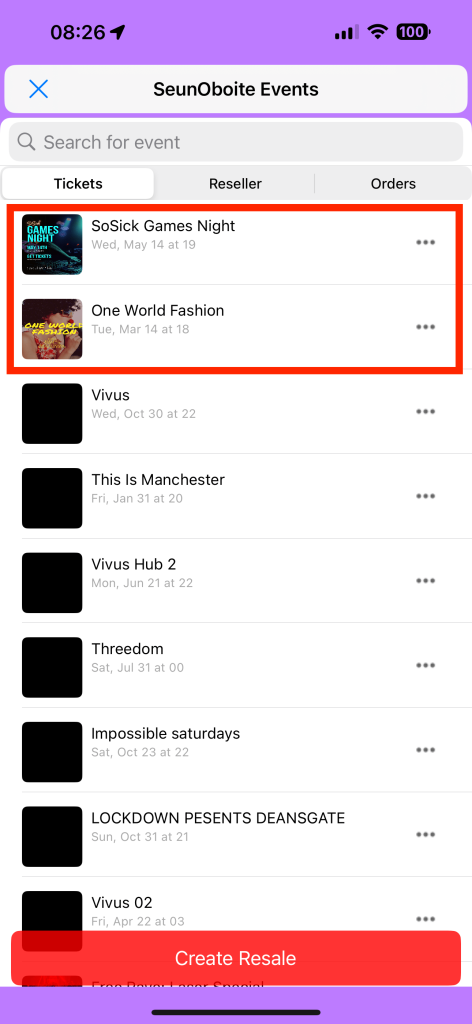
- Click Bookings and
- The event you want to access tickets to.
For Android:
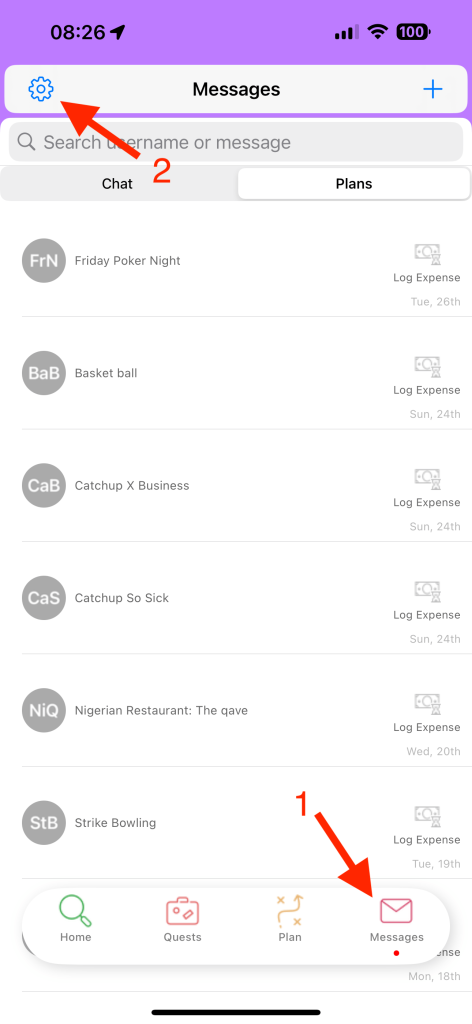
- Download our Vivus Hub app and login,
- Click on the messages tab,
- Click on the settings icon (looks like a gear) and then bookings.
Your recent ticket purchases can be found there.
If you still can’t access your tickets, please contact us using our home page contact form.